 Digital Event Invitations
Made for your story
Your names, photos, colors, music, schedule, and event details come together in one personal design.
Personalized digital invitations, simple RSVP tracking, and meaningful memories in one beautiful page.
Your names, photos, colors, music, schedule, and event details come together in one personal design.
Guests respond from any phone while you monitor attendance and guest counts from your dashboard.
Collect photos, birthday wishes, messages, and video greetings for a keepsake beyond the event day.

Choose a ready-made invitation theme or create a custom three-color palette from your private client dashboard.
Explore three sample directions. Your finished page will use your own story, colors, photos, and event details.
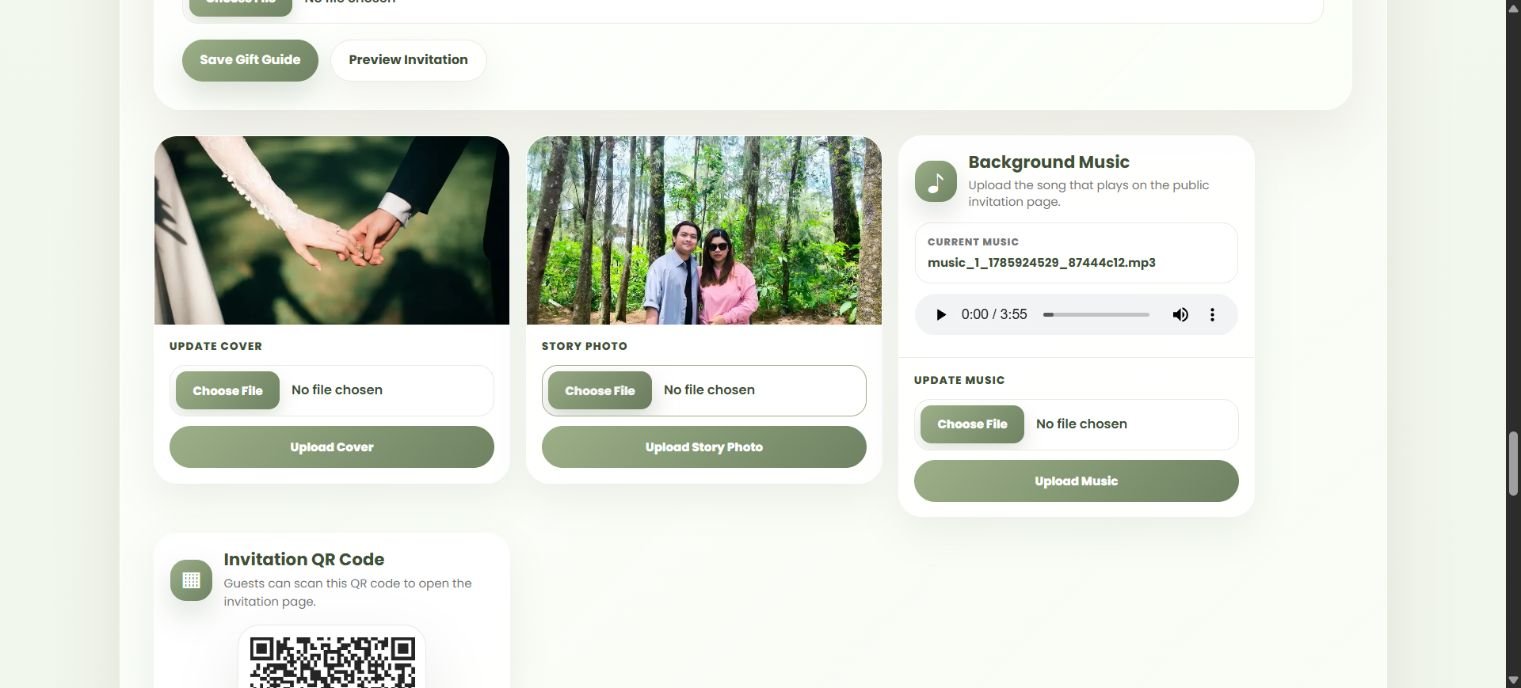
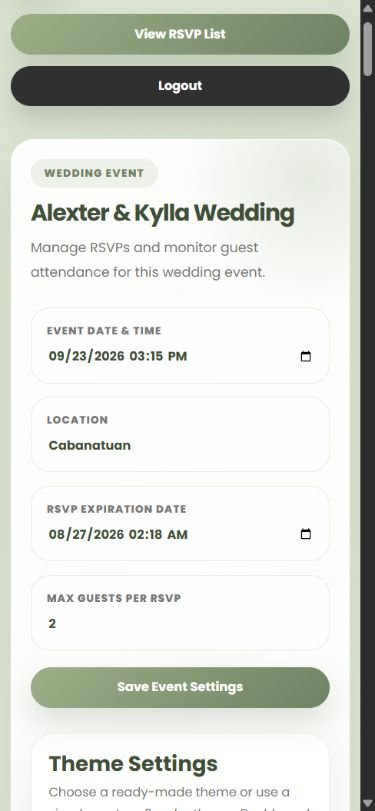
Ask for a live demoManage the details behind your invitation from one private client dashboard. Update the schedule, location, RSVP settings, and guest limits without touching code.
Add your cover and story photos, choose the background music, download the invitation QR code, and preview the page before sharing it with guests.
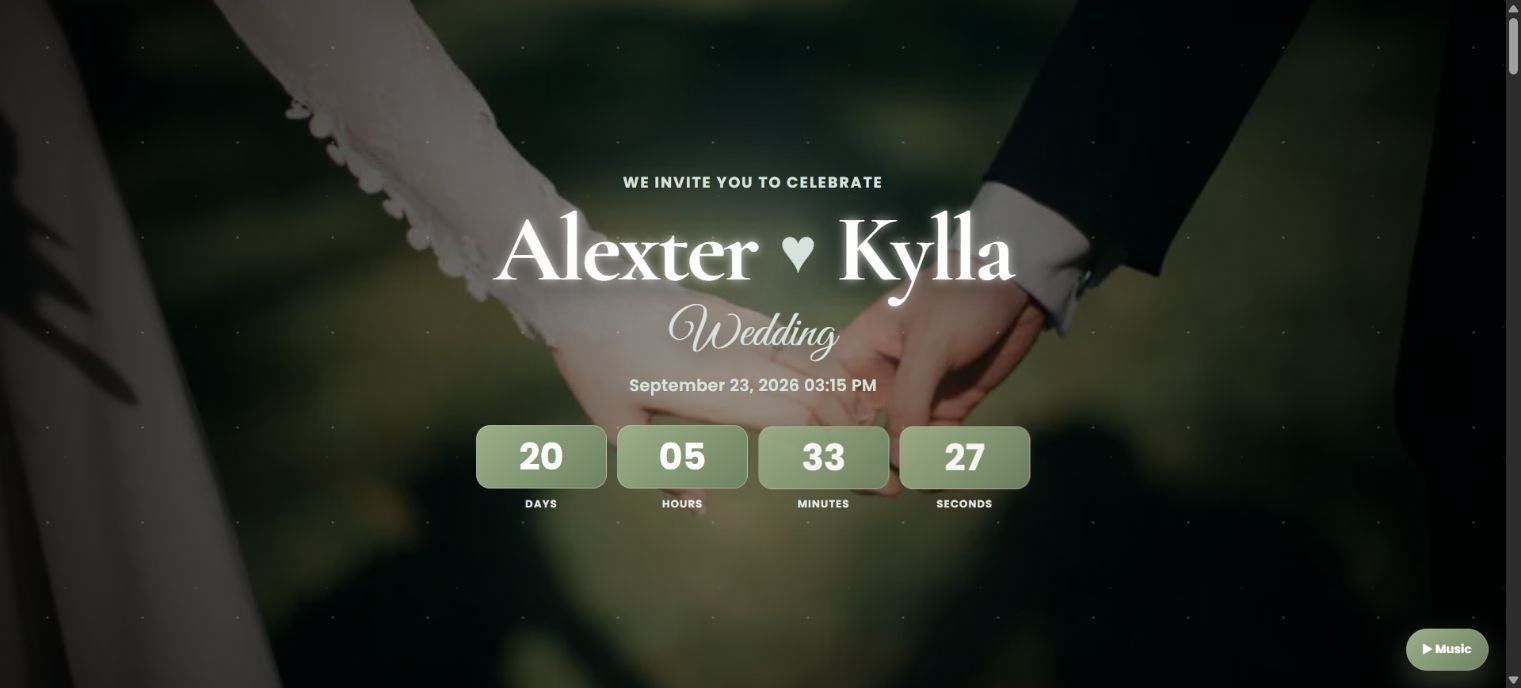
Welcome guests with a cinematic opening that leads into your complete wedding story.
Share the date, live countdown, venue, entourage, gift guide, music, and RSVP details in one beautiful link made for phones and desktops.
Choose your event and we will tailor the invitation, responses, and memories around it.
Find quick answers about requesting an AKopi event page, client access, guest RSVPs, and invitation content.
Choose your celebration, preferred date, and event details in the request form. AKopi will review the information and contact you personally.
No. Your submission is a request for review. AKopi will confirm availability, requirements, and approval with you before creating the event page.
The AKopi team reviews your details and contacts you to discuss the event. If the project is approved, we create your client account and guide you through the next steps.
You can request pages for weddings, birthdays, christenings, debuts, anniversaries, baby showers, graduations, reunions, corporate events, and other special occasions.
Yes. Invitation pages are designed for mobile guests, including event information, RSVP forms, and supported message features.
Yes. Your client dashboard lets you manage supported event details, content, RSVP access, and invitation settings.
Depending on the event design, your page may include photos, music, schedules, venue details, RSVP options, greetings, and guest memories.
Access is limited to authorized AKopi administrators and the client responsible for that event page. Guests should submit only information they are comfortable sharing with the event client.
A simple request gives our team what we need to start your event page.